Pipe Trades Pro Calculator
Calculated IndustriesTools
4.8293.00 Reviews
- Version
- 10.8.1
- Installs
- 50.00K
- Age Rating
- Everyone
Screenshots
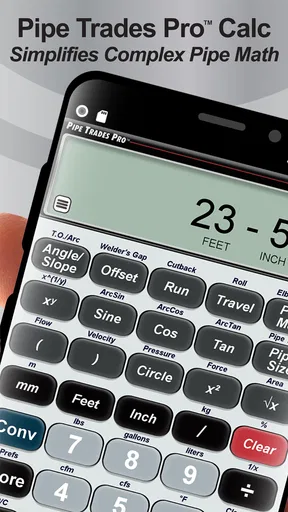
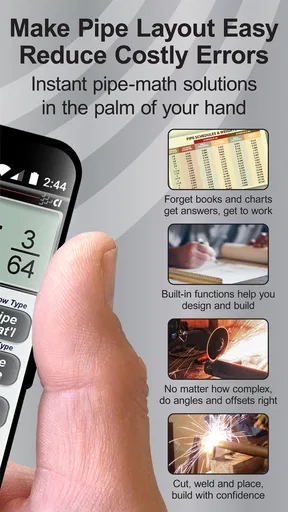
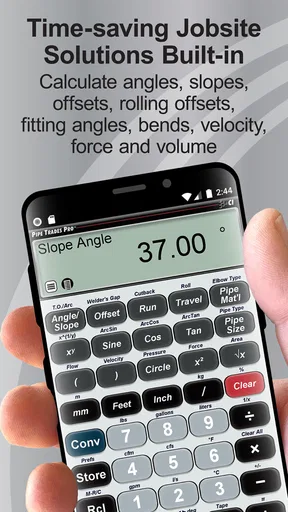
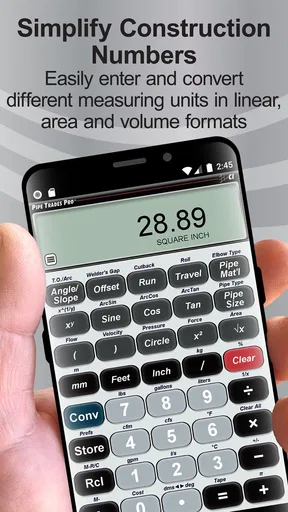
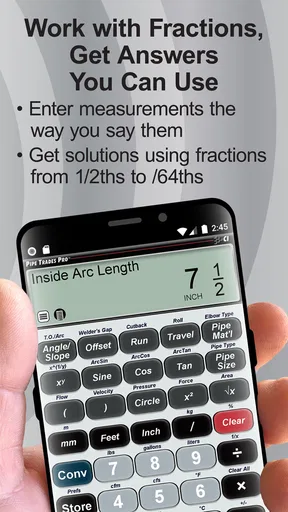
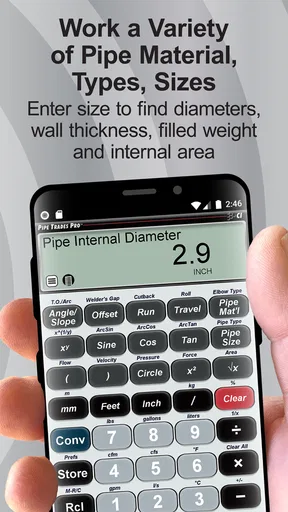
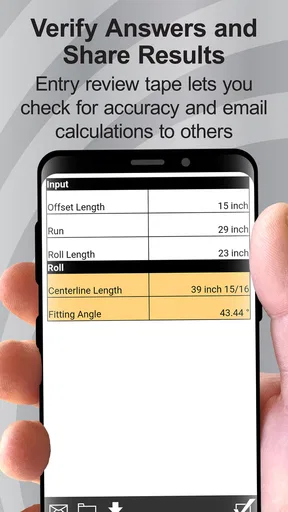
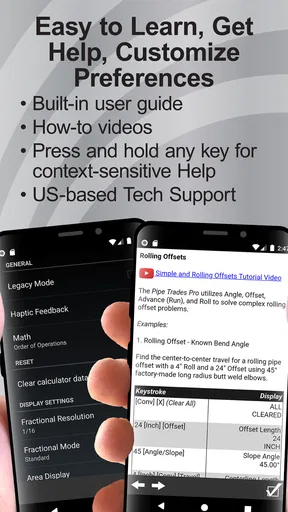
Our Review of Pipe Trades Pro Calculator
 Analysis by Appyee
Pipe work often slows down at the least convenient moment: not while cutting or joining a pipe, but while checking an offset, working out a fitting angle, or trying to remember the right weld calculation. Pipe Trades Pro Calculator is designed to remove that repeated pocket-calculator work. I found its value less in flashy presentation and more in the way it keeps trade-specific calculations together in one field-oriented tool.
Developed by Calculated Industries, this free Tools app is aimed at people who already understand pipe trades and need dependable arithmetic close at hand. It is not a course, a drawing package, or a general calculator with a few industrial labels added. Its focus is pipe fitting, rolling offsets, and weld math, which makes it much more relevant on a job than switching between a standard calculator, handwritten formulas, and remembered rules.
My overall impression is practical: when the calculation matches the kind of work you do, the app can save small amounts of time repeatedly throughout a day. Those small delays matter. A quick result before marking, cutting, or checking a layout is often more useful than a long explanation after an error has already happened.
Why this calculator earns a place in a pipefitter’s toolkit
I find this calculator most useful when I treat it as part of a checking routine, not as a shortcut around one. Before relying on a result, I’d note the measurements and calculation type, then compare the answer with the layout and a trusted reference. That habit makes it easier to spot a bad input early and leads naturally to the practical question of where this tool saves the most time.
The recurring problem is not arithmetic alone
Most experienced tradespeople can perform basic multiplication, division, and square-root work. The nuisance is remembering which relationship applies to the particular fitting problem, entering the values in the right order, and checking whether the result makes sense for the physical layout. A general calculator handles the numbers, but it does not organize the task around pipe-trade calculations.
That distinction is where this app makes sense. Instead of opening a browser search, scrolling through a formula page, or carrying a separate reference card, I can use a tool built around the calculations I am trying to complete. The benefit is not that it replaces judgment. It reduces the repetitive mental steps between a measurement and a usable result.
Rolling offsets are a good example. The challenge is rarely pressing buttons. It is translating the field situation into the correct inputs and then keeping the result connected to the actual pipe run. A purpose-built calculator helps keep that workflow focused, particularly when the work area is noisy, cramped, or moving quickly.
The same applies to weld math. A calculator can produce a number, but the person using it still has to know what that number represents and whether the selected assumptions fit the job. I treat the app as a calculation aid, not as permission to skip drawings, specifications, measurements, or a second check.
Getting started without turning setup into another task
The first useful setup is simply learning where the relevant calculation paths are and how the app expects values to be entered. I would not wait until standing beside a partially assembled run to discover the input flow. Spend a few quiet minutes trying a familiar example, then compare the result with a trusted manual calculation or reference.
That test is worthwhile because trade calculators often feel different from ordinary phone calculators. The important question is not whether the interface looks modern; it is whether the sequence of inputs matches the way you think through an offset or fitting problem. Once that sequence becomes familiar, the app becomes much faster than searching for a formula each time.
I also recommend using consistent units and writing down the field measurements before opening the calculator. This sounds obvious, but it prevents a common source of mistakes: mixing dimensions taken from different points or entering a value without remembering whether it represents a centerline distance, a rise, or another part of the layout. The app can calculate what it receives; it cannot correct an unclear measurement.
Because the app is free to install, it is easy to try without making it a major purchasing decision. It is rated for Everyone and supports Android devices running version 7.0 or later. The current version is 10.8.1, so compatibility is broad enough for many older work phones as well as newer devices.
How I would use it during a normal workday
Imagine a pipe run that needs to clear an obstruction while continuing toward a fixed destination. I would first measure the relevant rise and travel, confirm the direction of the run, and identify whether the situation is a straightforward offset or a rolling offset. I would then enter those values in the matching calculation area rather than trying to improvise with a generic calculator.
The time saved comes from avoiding the repeated cycle of recalling a formula, rearranging it, calculating, and checking the result. The app puts the calculation into a more recognizable trade workflow. After receiving the result, I would still compare it with the physical layout and mark the pipe only after confirming that the answer fits the available space.
Another realistic use is checking a fitting or weld-related calculation while preparing material. Instead of keeping a phone browser open to a formula page, I can use the dedicated tool, record the outcome, and move on to the next preparation step. This is especially useful when the same kind of calculation appears several times in a shift but the dimensions change from one job to another.
For training, I see a different benefit. An apprentice can work through a known example manually, then use the calculator to verify the result. That makes the app a checking partner rather than a substitute for learning. If the two answers differ, the disagreement becomes a useful prompt to review the formula, units, or measurements.
Small workflow improvements that matter in the field
One non-obvious strength is that a specialized calculator reduces context switching. Searching for a formula, opening a web page, dismissing an advertisement, and returning to the work area may take only a minute, but repeating that process several times creates friction. A dedicated tool keeps the calculation task closer to the rest of the job.
A second useful habit is to use the app before cutting rather than after a layout problem appears. Entering the planned values early can expose an impractical result while there is still time to reconsider the route. That does not make the app a design system, but it gives the fitter a quick numerical check before material and labor are committed.
A third insight is that the app is most valuable when paired with a written field note. I would record the measurements used, the calculation type, and the resulting value. If the layout changes, I can see which input changed instead of starting from a vague memory of the previous attempt. This also makes it easier for another person to review the work.
There is a trade-off here. A calculator that makes answers quick can also make incorrect inputs feel authoritative. I would never treat a clean result as proof that the setup was correct. A wrong dimension entered confidently is still a wrong dimension. The best workflow is measure, identify the calculation, enter carefully, check the result against the job, and only then act on it.
Where it removes friction compared with usual alternatives
The usual alternatives are a general calculator, a printed reference, a web search, or mental math. Each has a place. A general calculator is excellent for simple arithmetic and may be faster when the task does not involve a pipe-specific relationship. A printed reference works without battery or signal, but it can be slower to consult and less convenient when the calculation changes repeatedly.
Web searches can explain a formula, which is useful when learning, but they are not always comfortable in a work area. Pages can be cluttered, explanations may use different notation, and a search result may not match the exact problem in front of you. Pipe Trades Pro Calculator is more direct when you already know what kind of calculation you need and want to work through it without leaving the tool.
Mental math remains valuable for quick estimates. I would still use it to judge whether an answer is plausible. The app is better for the final calculation when precision and repeatability matter, while mental estimation is better as a sanity check. Using both is safer than relying exclusively on either one.
The app’s strongest advantage is therefore not universal convenience. It is specialization. If your work regularly includes rolling offsets, pipe fitting, and weld calculations, the dedicated layout should feel more relevant than a blank keypad. If your needs are limited to adding material lengths or converting a few measurements, a general calculator may be simpler and less distracting.
What may slow you down or make it the wrong choice
This is still a utility, and its usefulness depends heavily on familiarity with pipe-trade terminology and practice. Someone completely new to fitting may open it expecting step-by-step instruction and find that the calculator assumes more background. I would pair it with formal training, a qualified mentor, and the applicable job documentation rather than treating it as a standalone teaching resource.
It also cannot replace a drawing, a level, a tape measure, or a physical check of the assembled route. Numerical output does not account for every real-world constraint. Clearance, access, existing installation conditions, material behavior, and project requirements remain human responsibilities. For complex planning, a drawing or dedicated design software is a better choice.
There is also a practical phone-related limitation: a touchscreen is not always ideal with gloves, dirt, poor visibility, or a hurried hand. I would enter values deliberately and avoid tapping through a calculation while distracted. The app can reduce arithmetic friction, but it cannot make a difficult work environment disappear.
The free price makes testing straightforward, although in-app purchases range from $0.49 to $39.99 per item. I would check the available functions and purchase prompts before assuming every part of the experience is included at no cost. That does not undermine the basic appeal, but it is relevant for anyone choosing tools for a crew or trying to keep a work phone completely free of paid extras.
Who should use it and who should skip it
I would recommend it to pipefitters, welders, maintenance workers, apprentices, and supervisors who regularly need quick trade-specific calculations on an Android phone. It is particularly suitable for someone who already knows the job and wants to reduce repeated formula work without carrying another dedicated device.
It is also useful for learners who want to verify practice exercises, provided they first understand what they are calculating. Used that way, it supports learning rather than hiding gaps in understanding. A worker who performs occasional pipe repairs may appreciate it as a backup, especially when a familiar calculation suddenly becomes less straightforward in the field.
I would skip it if your work rarely involves pipe fitting or if you mainly need a basic four-function calculator. I would also choose a drawing or engineering application for detailed planning, documentation, or broader project coordination. The narrow focus is the reason to install it, but that same focus makes it unnecessary for people outside those tasks.
My final assessment after using it as a field utility
Pipe Trades Pro Calculator succeeds by addressing a recurring annoyance rather than trying to become an entire pipework workstation. Its value is measured in fewer interruptions, fewer formula lookups, and a quicker path from a known measurement to a checked calculation. That is a modest promise, but it is a useful one.
The app has earned a strong 4.8 average from around 1.6 thousand ratings, with more than 50 thousand installs, which fits the impression of a focused tool that has found a clear audience. I would not use those figures as a substitute for testing it on your own workflow, but they do suggest that the app is not an obscure experiment.
My recommendation is simple: install it if rolling offsets, fitting work, or weld math appear regularly in your day, then test it against a calculation you already trust. If the input flow feels natural and the results fit your checking routine, it can become one of those quiet tools you reach for repeatedly. Its best role is a fast second brain for trade arithmetic, never the final authority over a physical installation.
Verdict
Strengths of Pipe Trades Pro Calculator
- Covers many plumbing and pipe-trade calculations in one app.
- Useful for apprentices, contractors, and experienced pipefitters.
- Reduces manual math and helps limit calculation mistakes.
- Quick input fields make common calculations easy to repeat.
- Works as a handy reference tool on job sites and in workshops.
Limitations of Pipe Trades Pro Calculator
- Some results require knowledge of trade terminology and formulas.
- The interface may feel dated compared with newer calculator apps.
- Advanced users may miss options for saving custom calculations.
- A small screen can make detailed entries less comfortable.
- Not a replacement for code books, drawings, or professional verification.
Other Releases by Calculated Industries
View All
Construction Master 5 Calc
Tools4.7

Construction Master Pro Calc
Tools4.7

Real Estate Master IIIx Calc
Business4.7

Qualifier Plus IIIx
Business4.8
Similar Picks in This Category
View All
Google LLC4.0

Gboard - the Google Keyboard
Google LLC4.5

Google Play services
Google LLC4.3

Google Play Store
Google LLC4.9

Files by Google
Google LLC4.5

SHAREit: Transfer, Share Files
Smart Media4U Technology Pte.Ltd.4.3
Frequently Asked Questions
What is Pipe Trades Pro Calculator used for?
Pipe Trades Pro Calculator is designed to help pipefitters, plumbers, welders, fabricators, and students perform common trade calculations more quickly. It can assist with areas such as pipe geometry, offsets, rolling offsets, bends, angles, cut lengths, and related layout work. It is intended as a practical field reference, although users should always verify important measurements before fabrication or installation.
Is Pipe Trades Pro Calculator suitable for beginners?
Yes, the app can be useful for beginners as well as experienced tradespeople, but some knowledge of pipefitting terminology and basic geometry is still helpful. Its calculators generally require users to enter measurements, angles, or dimensions correctly, so the app does not replace training or supervision. Beginners should compare results with classroom examples, drawings, and established trade practices.
Does Pipe Trades Pro Calculator work without an internet connection?
The calculator functions are generally intended to be available directly on the device, which makes the app convenient for jobsites, workshops, and classrooms where internet access may be limited. However, availability can depend on the specific version, platform, and any online features included by the developer. It is a good idea to open the app before leaving Wi-Fi and confirm that the required tools work offline.
Can I rely on the app’s results for professional pipe installation?
The app can save time and reduce manual arithmetic, but it should be treated as a calculation aid rather than the sole authority for professional work. Incorrect inputs, unusual fittings, material tolerances, field conditions, or differences in trade methods may affect the final result. Always check calculations against project drawings, manufacturer specifications, applicable codes, and measurements taken at the jobsite.
Is Pipe Trades Pro Calculator available for Android and iPhone?
Availability may vary depending on the developer’s current release and the store region. Before downloading, check the official Google Play Store or Apple App Store listing for supported devices, operating-system requirements, pricing, and recent updates. Also review the screenshots and description to ensure that the version you are installing includes the specific pipe-trade calculators you need for work or study.
